 Tutorials
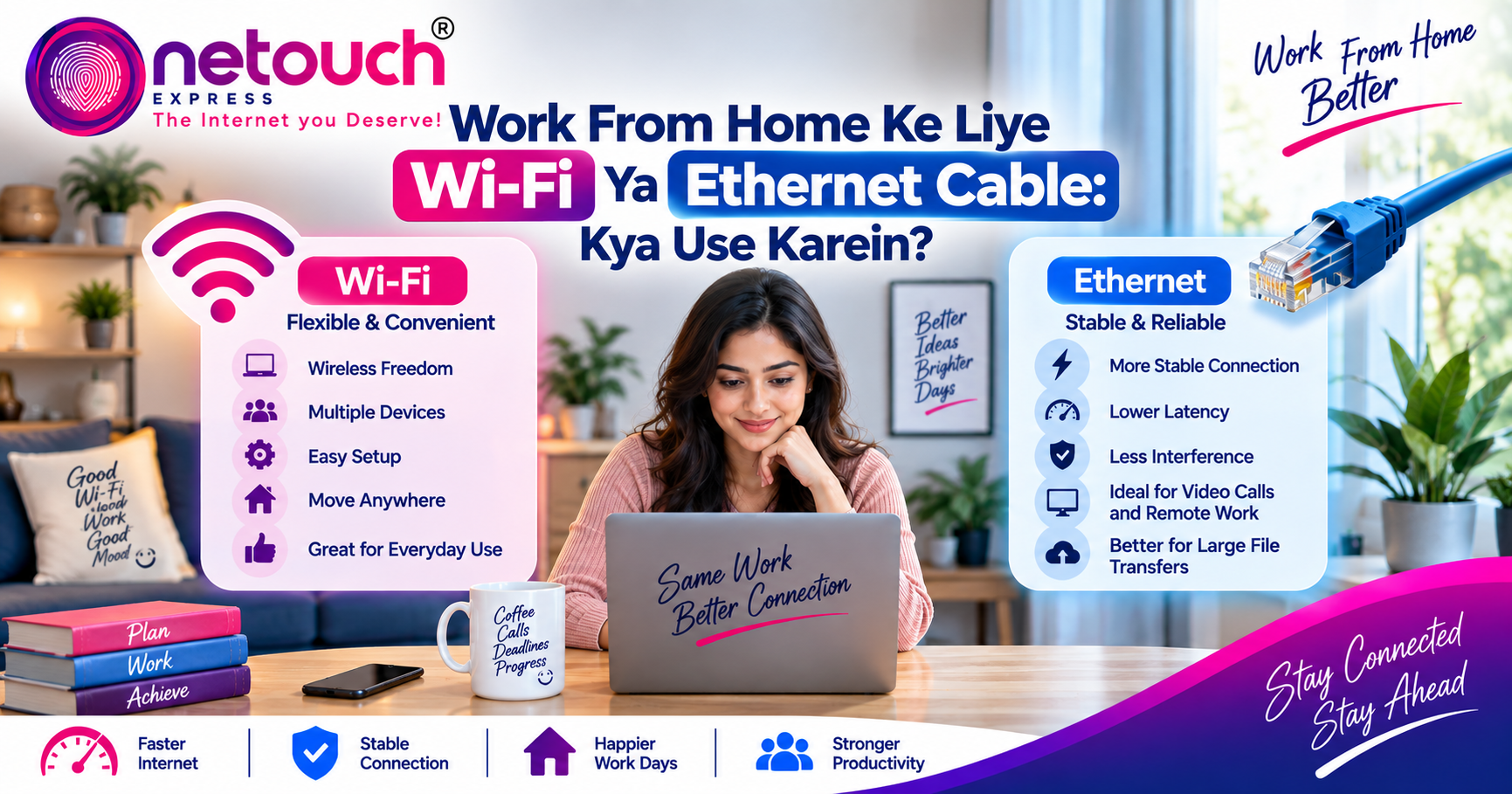
Work From Home Ke Liye Wi-Fi Ya Ethernet Cable: Kya Use Karein?

Work From Home Ke Liye Wi-Fi Ya Ethernet Cable: Kya Use Karein?
Work From Home आज बहुत से professionals की daily routine का हिस्सा बन चुका है। Laptop पर office meetings attend करना, cloud applications इस्तेमाल करना, files upload करना, remote desktop access करना और लगातार online रहना अब normal work routine है।
ऐसे में एक important सवाल सामने आता है—Work From Home के लिए Wi-Fi use करें या Ethernet cable? Wi-Fi ज्यादा convenient और flexible है, जबकि Ethernet cable wired connection provide करती है। दोनों के अपने advantages और limitations हैं।
सही option आपकी working location, device, घर के network setup और work requirements पर depend करता है। आइए simple language में समझते हैं कि Wi-Fi और Ethernet में क्या difference है और Work From Home के लिए किस situation में कौन सा option useful हो सकता है।
Wi-Fi Kya Hai?
Wi-Fi एक wireless networking technology है जो compatible devices को बिना physical cable के network और internet से connect करने देती है।
Laptop, smartphone, tablet और Smart TV जैसे devices Wi-Fi के through router से connect हो सकते हैं। इसका सबसे बड़ा फायदा convenience है—आप घर के अलग-अलग हिस्सों में device लेकर move कर सकते हैं।
Ethernet Cable Kya Hai?
Ethernet एक wired network connection है जिसमें computer या दूसरे compatible device को network device या router से physical cable के through connect किया जाता है।
Wired connection में wireless signal की जरूरत नहीं होती। इसी वजह से fixed workstations के लिए Ethernet एक practical option हो सकता है, खासकर जब stable connection important हो।
Wi-Fi vs Ethernet: Basic Difference
| Feature | Wi-Fi | Ethernet |
|---|---|---|
| Connection | Wireless | Wired |
| Mobility | High | Limited by cable length |
| Connection Stability | Environment पर depend करती है | Generally more consistent |
| Interference | Wireless interference possible | Wireless interference का असर नहीं |
| Setup | Easy और convenient | Cable की जरूरत |
Work From Home Mein Wi-Fi Kab Better Hai?
अगर आप अपने laptop के साथ घर के अलग-अलग हिस्सों में काम करना पसंद करते हैं, तो Wi-Fi ज्यादा convenient हो सकता है। आप desk से sofa या दूसरे suitable location पर जाकर भी connected रह सकते हैं।
Wi-Fi खासकर उन users के लिए useful है जिनके devices में Ethernet port नहीं है या जिनके लिए cable manage करना inconvenient है।
Wi-Fi के Advantages
- Wireless होने के कारण ज्यादा mobility मिलती है।
- Multiple devices आसानी से connect किए जा सकते हैं।
- Installation comparatively simple होती है।
- Laptop और smartphone users के लिए convenient है।
- Cable की जरूरत नहीं होती।
Work From Home Mein Ethernet Kab Better Hai?
अगर आपका laptop या desktop एक fixed workstation पर रहता है और आपको लगातार stable connection चाहिए, तो Ethernet cable practical option हो सकती है।
Video conferencing, remote desktop, large file transfers और other business applications के दौरान consistent connection useful हो सकता है। Ethernet wireless interference से प्रभावित नहीं होता, इसलिए suitable setup में connection ज्यादा predictable हो सकता है।
Ethernet के Advantages
- Stable wired connection provide करता है।
- Wireless interference की समस्या नहीं होती।
- Fixed workstation के लिए convenient हो सकता है।
- Low-latency applications के लिए useful हो सकता है।
- Important office work के दौरान reliable connection दे सकता है।
Video Calls के लिए Wi-Fi या Ethernet?
Zoom, Google Meet और Microsoft Teams जैसी video calls के लिए connection stability important है। अगर Wi-Fi signal strong और stable है, तो Wi-Fi के through video calls आसानी से की जा सकती हैं।
लेकिन अगर Wi-Fi signal बार-बार fluctuate करता है, router से distance ज्यादा है या wireless interference मौजूद है, तो Ethernet cable एक useful alternative हो सकती है।
Important Video Meeting?
अगर आपके पास Ethernet का option available है और Wi-Fi stability को लेकर doubt है, तो important meeting के दौरान wired connection use करके देख सकते हैं।
Remote Desktop और VPN के लिए कौन सा Connection?
Remote Desktop और VPN-based work में latency और connection stability important factors हैं। Wi-Fi अच्छी quality का हो तो यह दोनों activities के लिए suitable हो सकता है।
लेकिन अगर Wi-Fi पर frequent signal drops या unstable connectivity हो रही है, तो Ethernet से test करना useful troubleshooting step हो सकता है।
क्या Ethernet हमेशा Wi-Fi से Fast होता है?
ऐसा जरूरी नहीं है। Actual performance आपके broadband plan, router, network hardware, Wi-Fi standard, Ethernet port और cable capability सहित कई factors पर depend करती है।
अगर आपका Wi-Fi setup modern है और router के पास strong signal मिल रहा है, तो practical internet usage में Wi-Fi काफी अच्छा perform कर सकता है।
Ethernet का major advantage कई situations में raw speed से ज्यादा consistency और stability हो सकता है।
Best Work From Home Setup क्या हो सकता है?
एक practical approach यह हो सकती है कि आपके primary workstation को Ethernet से connect किया जाए, जबकि smartphones, tablets और other mobile devices Wi-Fi पर connected रहें।
इस तरह fixed work device को wired connection मिल सकता है और बाकी devices को wireless flexibility।
Simple WFH Network Setup
- Desktop / Fixed Laptop: Ethernet consider करें
- Smartphone: Wi-Fi
- Tablet: Wi-Fi
- Smart TV: Wi-Fi या Ethernet, device location के हिसाब से
- Important Video Meetings: Stable connection को priority दें
अगर Wi-Fi ही इस्तेमाल करना है तो ये Tips Follow करें
- Router को open और suitable location पर रखें।
- Work desk को router से बहुत दूर न रखें।
- Important work के दौरान large downloads avoid करें।
- Weak signal होने पर Wi-Fi coverage improve करने के options देखें।
- Router और device के बीच unnecessary obstacles कम रखें।
- जहां available हो, suitable Wi-Fi band का इस्तेमाल करें।
Final Thoughts
Work From Home के लिए Wi-Fi और Ethernet दोनों useful हैं। Wi-Fi convenience और mobility provide करता है, जबकि Ethernet fixed workstation के लिए stable और consistent connection दे सकता है।
अगर आप laptop लेकर घर में अलग-अलग जगह काम करते हैं, तो अच्छी quality का Wi-Fi practical choice हो सकता है। वहीं अगर आपका workstation fixed है और video meetings, Remote Desktop या important office work के दौरान connection stability priority है, तो Ethernet cable consider करना useful हो सकता है।
आखिर में सबसे अच्छा setup वही है जो आपके घर, devices और daily work requirements के हिसाब से सही balance provide करे।
Smart Work Needs a Smart Connection
Wi-Fi की flexibility हो या Ethernet की stability—अपनी Work From Home needs के हिसाब से सही connection चुनें और connected रहें।