 Tutorials
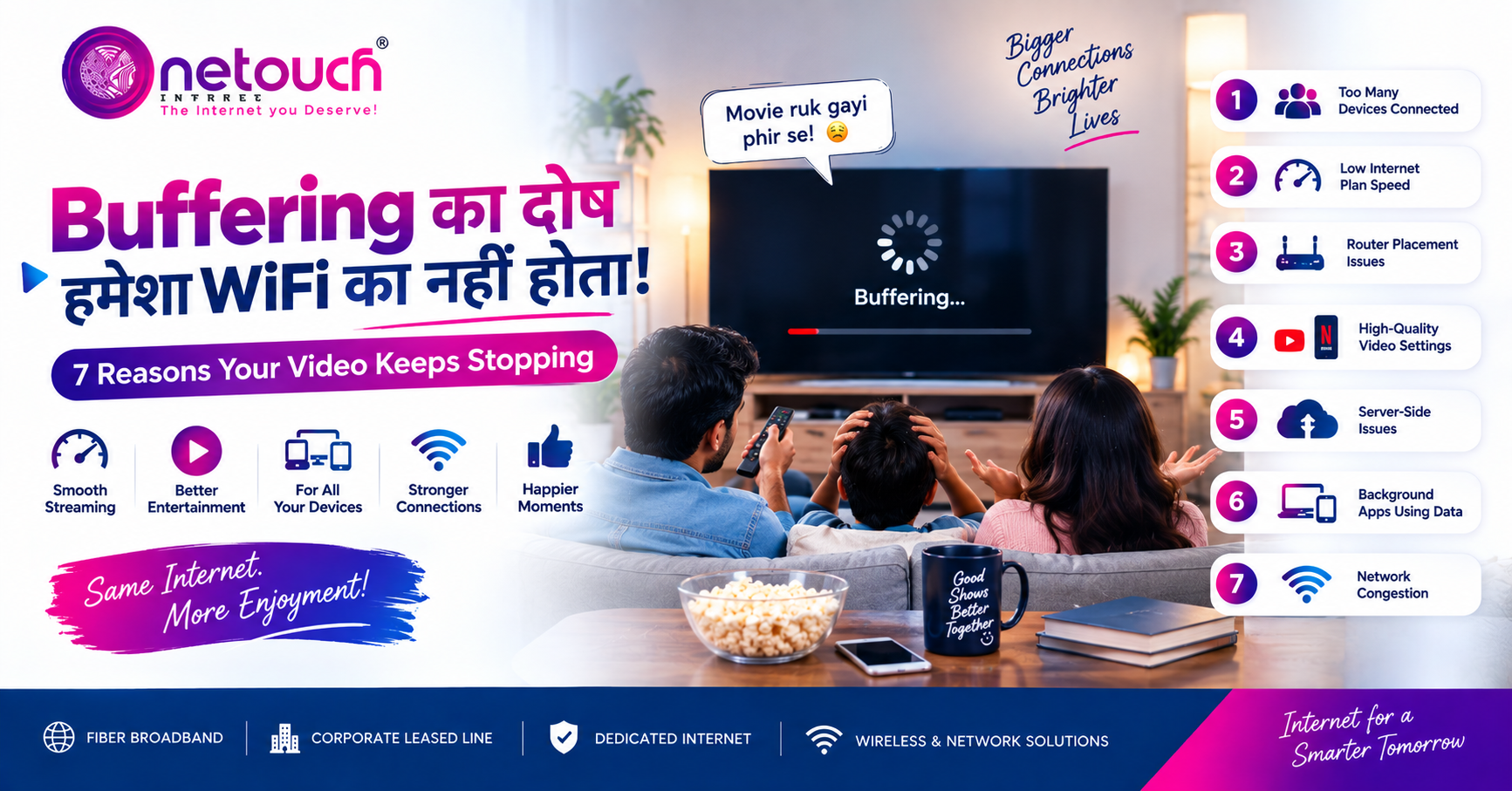
Buffering का दोष हमेशा WiFi का नहीं होता! — 7 Reasons Your Video Keeps Stopping
Deprecated: strtotime(): Passing null to parameter #1 ($datetime) of type string is deprecated in /home/u779368099/domains/onetouchexpress.com/public_html/blog.php on line 128
01 Jan 1970 49 views Video Buffering
Buffering का दोष हमेशा WiFi का नहीं होता! — 7 Reasons Your Video Keeps Stopping
कभी YouTube पर कोई important video देख रहे हों, Netflix पर movie शुरू की हो या Instagram पर कोई interesting Reel मिली हो और अचानक screen पर घूमता हुआ circle दिखाई देने लगे — Buffering! 😩
इसके बाद घर में सबसे पहला सवाल आता है — “WiFi इतना slow क्यों है?” लेकिन क्या हर बार buffering की वजह आपका WiFi ही होता है? नहीं! Video playback कई factors पर depend करता है। Internet speed के अलावा WiFi signal, connected devices, video quality, device performance, streaming platform और network congestion भी viewing experience को affect कर सकते हैं।
1. Internet Speed Video Quality के लिए कम है
अगर आप HD या 4K video stream कर रहे हैं और उसी समय घर में दूसरे लोग Netflix, YouTube, gaming या video calls कर रहे हैं, तो available bandwidth कई users में share हो सकती है। Smart TV पर movie, mobile पर YouTube और laptop पर video meeting साथ चलने पर network demand बढ़ सकती है। Solution: घर के users और devices के हिसाब से suitable broadband speed चुनें।
2. WiFi Signal Weak है
कई बार broadband connection अच्छा होता है, लेकिन device तक WiFi signal properly नहीं पहुंच रहा होता। अगर router बहुत दूर है, बीच में मोटी दीवारें हैं या router cupboard के अंदर है, तो wireless performance प्रभावित हो सकती है। Router के पास video smooth और दूसरे room में buffering हो, तो WiFi coverage एक possible reason है।
3. बहुत सारे Devices एक साथ Internet चला रहे हैं
Smart TV, smartphones, laptops, tablets, CCTV और gaming consoles connected रह सकते हैं। Connected devices होना अपने आप में problem नहीं है, लेकिन कई devices एक साथ heavy data use करें तो network load बढ़ सकता है। Background updates, cloud backup और large downloads भी bandwidth consume कर सकते हैं।
4. Video Quality बहुत High है
अगर video quality manually 1080p या 4K पर set है, तो higher quality में generally ज्यादा data की जरूरत होती है। Available bandwidth कम होने पर playback रुक सकता है। Buffering हो तो temporarily Auto या थोड़ी lower quality select करके देखें।
5. Streaming Platform की तरफ से Problem हो सकती है
हर buffering problem आपके internet connection की वजह से नहीं होती। कभी streaming platform पर temporary technical issue, server load या traffic spike हो सकता है। अगर बाकी websites normal हैं लेकिन सिर्फ एक particular service पर videos buffer हो रहे हैं, तो issue platform की तरफ भी हो सकता है। दूसरी streaming service पर video चलाकर compare करें।
6. आपका Device खुद Slow हो सकता है
Internet fast होने के बावजूद mobile, laptop या Smart TV में performance issue हो तो video playback smooth नहीं रहेगा। पुराना device, low storage, बहुत सारे background apps या outdated software भी performance को affect कर सकते हैं। Buffering होने पर router के साथ device को भी restart करके देखें।
7. Peak Time में Network Congestion
शाम के समय internet usage बढ़ सकता है। लोग office से वापस आते हैं, बच्चे online activities करते हैं और family OTT streaming शुरू कर देती है। अगर उसी समय कई devices heavy internet use कर रहे हैं, तो internet slower महसूस हो सकता है। देखें कि buffering हर समय होती है या सिर्फ कुछ specific hours में।
Buffering होने पर ये 6 Quick Checks करें
- 📶 Router के पास जाकर video test करें।
- 📱 दूसरे device पर वही video चलाकर देखें।
- 🎬 Video quality को Auto पर रखें।
- 💻 Background downloads और updates check करें।
- 🔄 Router और device दोनों restart करें।
- ⚡ Speed test करके actual internet performance check करें।
Fast Internet होने के बाद भी Buffering क्यों हो सकती है?
मान लीजिए आपके broadband plan की speed 250 Mbps है। इसका मतलब यह नहीं कि हर situation में हर device को exactly 250 Mbps मिलेगा। Actual experience पर WiFi signal strength, router capability, connected users, network traffic, device performance, video quality और streaming server response जैसे factors depend करते हैं।
Buffering कम करने के लिए Smart WiFi Tips
- Router को बंद cabinet या बहुत enclosed जगह पर न रखें।
- Heavy downloads को peak streaming time से बाहर रखें।
- Compatible devices पर 5GHz WiFi use करें।
- Unused devices को disconnect करें।
- पुराने router की capability check करें।
- Regular speed tests से connection performance compare करें।
Conclusion: हर Buffering के लिए WiFi को दोष मत दीजिए!
जब video रुकता है तो सबसे आसान जवाब होता है — “WiFi खराब है!” 😄 लेकिन असली reason कुछ और भी हो सकता है। Weak WiFi signal, ज्यादा connected devices, insufficient bandwidth, high video quality, slow device, streaming platform issue या peak-time congestion — ये सभी buffering के possible reasons हैं।
अगली बार Netflix या YouTube पर buffering आए, router को गुस्से में बंद करने से पहले थोड़ा detective बनिए! 🕵️ Check करें कि problem वास्तव में WiFi की है या किसी दूसरे factor की।
⚡ Better Streaming के लिए Better Broadband
अगर आपके घर में multiple users के साथ OTT, YouTube, gaming, video calls और Work From Home चलता है, तो usage के हिसाब से सही broadband speed और reliable WiFi setup जरूरी है।
One Touch AI Technology के साथ बेहतर internet experience के लिए संपर्क करें।
📞 Call Now — 87109 10987Fast Internet | Smart Living