 Security
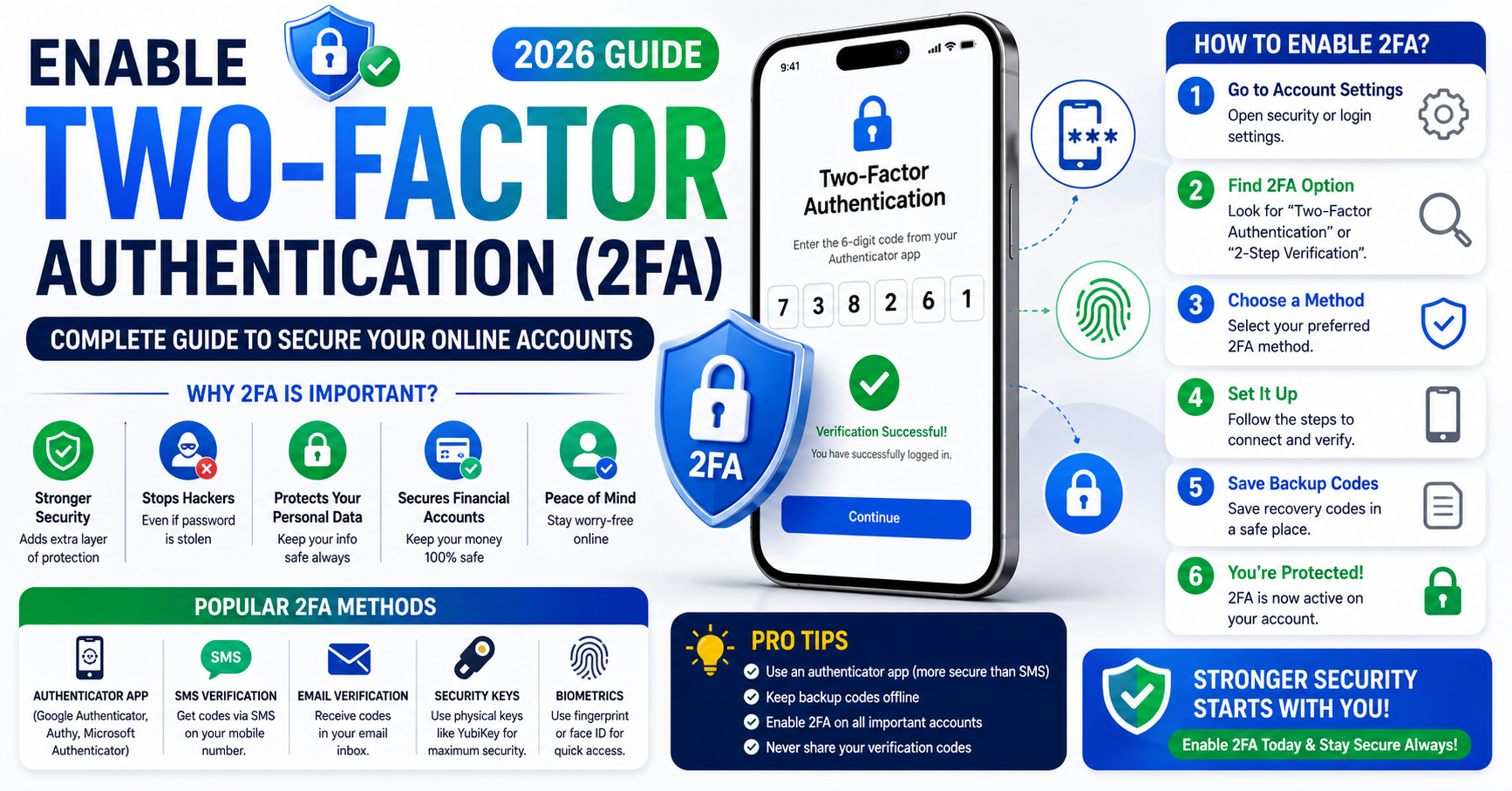
Enable Two-Factor Authentication (2FA): Complete Guide to Secure Your Online Accounts (2026)
How to Create Strong Passwords
Your passwords are the front door to your digital life — your bank, your email, your social accounts. And weak passwords are still one of the most common ways accounts get hacked. The good news: creating strong, memorable passwords is simpler than most people think once you know the rules. Here’s how to do it right.
What actually makes a password strong
Forget the old advice about cramming in symbols. Modern security guidance is clear on what really matters:
• Length beats everything. A longer password is exponentially harder to crack. Aim for at least 12–16 characters — the longer, the better.
• Uniqueness is non-negotiable. Never reuse a password across accounts. One leak shouldn’t hand attackers the keys to everything.
• Unpredictability matters. Avoid names, birthdays, dictionary words alone, and keyboard patterns. Randomness is your friend.
• A mix helps, but length wins. Upper and lower case, numbers, and symbols add strength — but a long passphrase beats a short, complex one.
The single biggest mistake: reusing the same password everywhere. If one site is breached, every account sharing that password is suddenly exposed.
The easiest trick: use a passphrase
The simplest way to get a strong and memorable password is a passphrase — four or five random, unrelated words strung together, ideally with a number or symbol mixed in. Something like a bizarre mental image made of unconnected words is long, easy for you to remember, and extremely hard for a computer to guess. The key is that the words should be genuinely random, not a common phrase or song lyric.
A short password full of symbols is hard for you to remember but easy for software to brute-force. A long passphrase flips that: easy for you, hard for the attacker. That’s exactly what you want.
The real answer: a password manager
Nobody can remember a unique 16-character password for 100 accounts — and you shouldn’t try. A password manager generates strong, random, unique passwords for every account and stores them securely, so you only need to remember one strong master password (make that one a great passphrase). It fills them in automatically and syncs across your devices.
This is the single most effective upgrade you can make to your online security. Just avoid the risky shortcuts: don’t keep passwords in a plain notes file, a spreadsheet, or on a sticky note under your keyboard.
Beyond passwords: extra layers
• Turn on two-factor authentication (2FA). This is huge. Even if your password leaks, an attacker still can’t get in without your second factor — an app code or key. Enable it everywhere it’s offered.
• Consider passkeys. The passwordless standard is spreading fast — passkeys use your device to log you in securely with no password to steal. Where a service offers them, they’re worth using.
• Check for breaches. Free breach-checking services let you see if your email has appeared in a known data leak — if it has, change those passwords immediately.
Common mistakes to avoid
Steer clear of the classics: obvious choices like “123456” or “password,” personal info anyone could find (your name, pet, or birth year), and simple tweaks like adding “1” or “!” to a weak base. Don’t share passwords over chat or email, and be wary of phishing pages that trick you into typing your password on a fake site — even the strongest password can’t protect you if you hand it over.
✓ At least 12–16 characters (longer is better)
✓ A random passphrase you can remember
✓ Unique for every important account
✓ No names, birthdays, or common words alone
✓ Stored in a password manager
✓ Two-factor authentication switched on
Frequently asked questions
At least 12–16 characters, and longer where it matters. Length is the biggest factor in how hard a password is to crack.
Not on a fixed schedule anymore — current guidance says change them when there’s a reason (a breach or suspicion), not just because time passed. A strong, unique password can last.
Reputable ones are far safer than reusing weak passwords or writing them down. They encrypt your data behind one strong master password — a big net gain for security.
Yes — it’s one of the most effective protections you can add. Even a leaked password usually can’t get past a second factor.
Lock the front door.
A long, unique passphrase, a password manager, and two-factor authentication together will protect you better than almost anything else online. Set them up once — and browse with peace of mind.